
Christ-centered budgeting and planning
Giving comes first. The rest is planned on purpose.
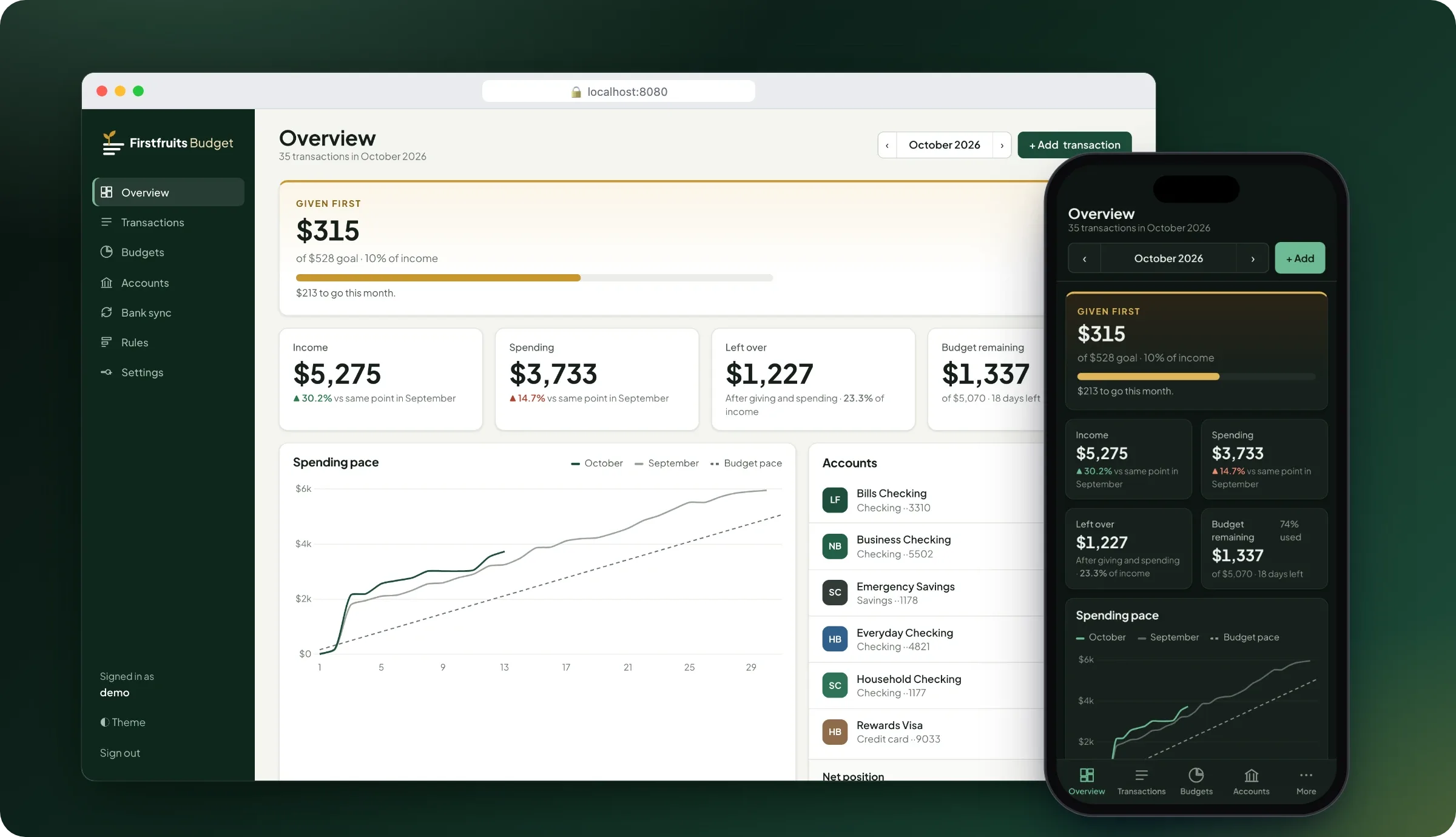
Firstfruits Budget brings budgeting and planning together around a biblical view of money. Your giving is set apart at the top of every month, and everything that's left gets a plan.
- Giving counted first
- Desktop and phone
- No tracking
“Honor the LORD with your wealth and with the firstfruits of all your produce”
How it works
Give first, then plan the rest
Most budgets treat giving as whatever is left at the end. Firstfruits Budget turns that around: giving comes off the top, and the rest of the month is planned on purpose.
-
Step 1
Set your giving goal
Choose a percentage of income (10% by default, a tithe) or a fixed monthly amount. The "Given first" card shows how close you are.
-
Step 2
Bring in your transactions
Sync read-only with your bank through SimpleFIN Bridge, import CSV or Quicken files, use the REST API, or add them by hand.
-
Step 3
Plan and review the rest
Give each spending category a monthly budget. You'll see "$38 left" when you're close and "Over by $119" if you go past it.
Features
Everything a household budget needs
-
Giving first
Giving is counted before spending, kept out of budgets, and never triggers a budget warning.
-
A clear dashboard
Income, giving, spending and what's left, compared like-for-like with the same day last month.
-
Bank sync and imports
Read-only bank sync every 6 hours, plus safe re-imports of CSV, OFX and QFX files.
-
Budgets and rules
Monthly budgets per category, and rules that categorise new transactions for you.
-
Notifications
Budget, large-transaction and sync alerts to Slack, Discord, ntfy, Telegram, email and more.
-
Shared and secure
One budget for the whole household, with roles and two-factor sign-in.
-
On your phone
A phone-first layout that installs to your home screen on iPhone and Android.
-
Private and yours
Docker Compose or Portainer, PostgreSQL, and automatic nightly backups.
On your phone
Check in from the checkout line
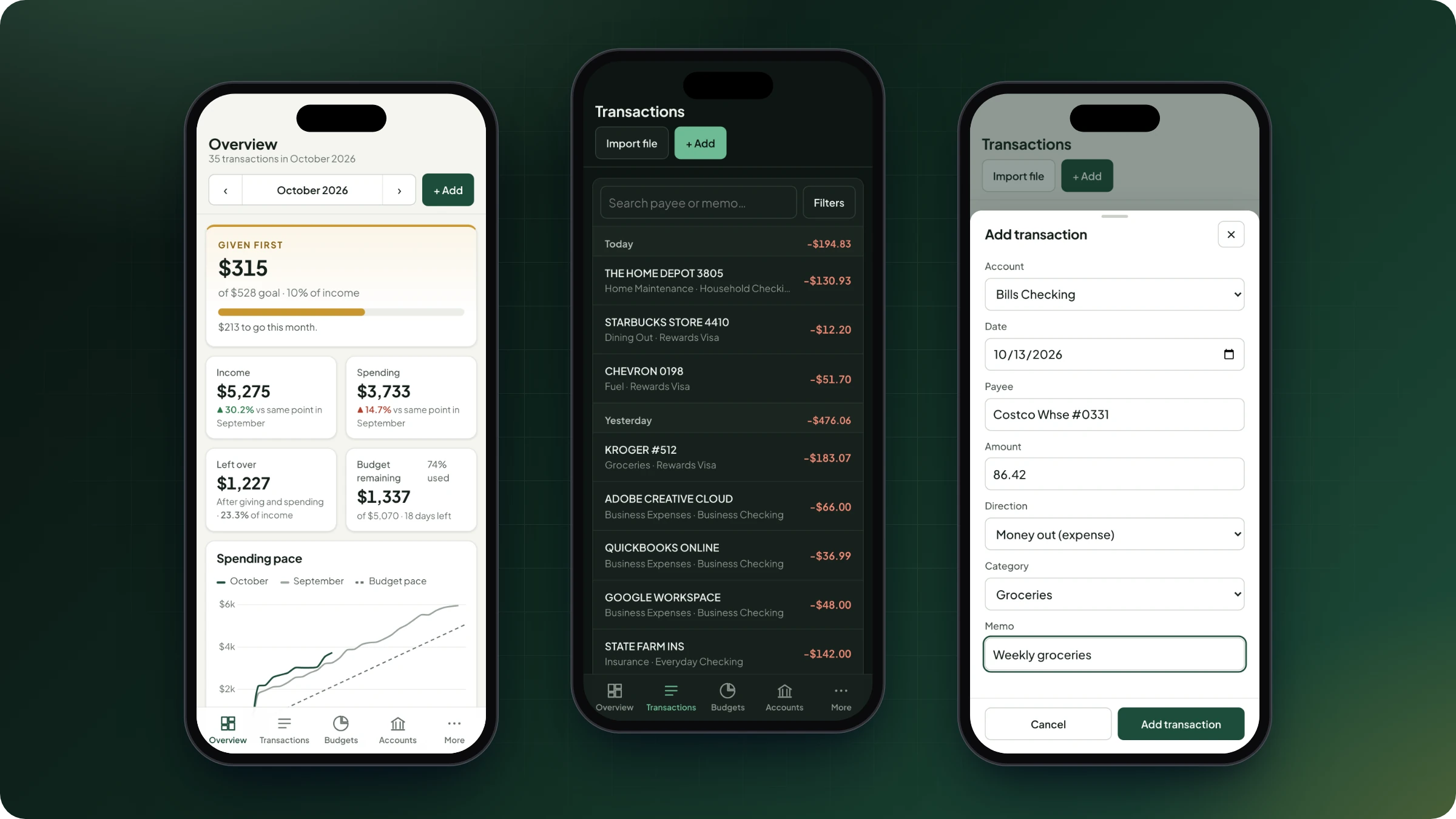
On a phone, Firstfruits Budget switches to a layout made for one hand: a bottom tab bar, transactions grouped by day, and forms that open as bottom sheets.
- Installs to the home screen on iPhone and Android, with its own icon.
- Financial data is never cached on the device.
- Light and dark themes that follow your device.
Private by design
Your financial data stays with you
You run Firstfruits Budget on your own computer or server. There are no accounts with us, no tracking, and nothing loaded from third-party CDNs.
-
Simple to run
Docker Compose or Portainer, with the app, a PostgreSQL database and automatic nightly backups.
-
Backups kept for a year
14 daily, 8 weekly and 12 monthly copies, made automatically every night.
-
Hardened containers
Read-only filesystem, a non-root user, and Linux capabilities dropped. Every build is scanned for known vulnerabilities.
-
Private access
Works behind Cloudflare Tunnel and Access, Tailscale or WireGuard, with a health check endpoint for monitoring.
Be the first to hear when it's ready to install
Join the waitlist and we'll let you know when Firstfruits Budget is available.